
 Calculating arrival date

Four colors.
Different capacities.
One printer.
You can choose more toner for the colors you use most. Learn when standard, high and extra-high yield can work together, and find the right original HP sets for your printer.

A real mixed-yield example:
414X black + 414A colors
Can I mix standard-, high- and extra-high-yield toner?
Yes, provided every cartridge is supported by your exact HP printer, matches its region, and goes in the correct color slot. The four yield letters do not have to match. You can install high-yield black with standard-yield colors. In a supported three-yield family such as HP 213, you can also combine A, X and Y.
Choose the capacity by color. Confirm compatibility by the full cartridge number.
Can I use HP 414X black with HP 414A colors?
Yes. In an HP Color LaserJet Pro MFP M479fdw configured for 414 supplies, this is a supported mix. Black has more capacity, while the three colors remain standard yield.
You have not changed the printer’s toner family. You have selected a different supported capacity for black. The same approach can work in reverse, with standard-yield black and high-yield colors, when your printing uses more color.
Shop the HP 414X black + 414A color combination set →Different capacities. No special setup.
Choose the yield for each color separately
Your black, cyan, yellow and magenta cartridges do not need matching capacities. Choose a supported yield for each color based on how much you use it. For example, keep standard-yield colors in place and replace black with a supported high-yield cartridge.
Upgrading one color does not require upgrading the other three. All four still work together as part of the printer’s imaging system.
Install normally. No mixed-yield setting.
For supported original HP cartridges in the printers covered here, mixing yields does not require a special setting, a driver change or a hardware modification. Use the normal cartridge replacement procedure and follow any routine prompts on the printer.
The important step is choosing the correct cartridge, not changing the printer’s configuration.
What must match, and what can be different?
Match the printer
Find the full model, including its letters. “Color LaserJet” alone is not enough. A cartridge for an M479 is not automatically right for a 4301.
Match the family & region
Use the replacement part numbers listed for your printer’s region. The last letter is a capacity choice, not permission to use another toner family.
Match the color
Black goes in black; cyan in cyan; yellow in yellow; magenta in magenta. Within each slot, choose a supported A, X or Y capacity.
For the families below, A means standard yield, X means high yield, and Y means extra-high yield where offered. The Y in 213Y describes yield, not yellow. A yellow cartridge’s color must still be checked separately.
Which HP color toner families can use mixed yields?
This guide focuses on original HP replacement cartridges sold by Genuine Ink. The models below are examples, not a complete compatibility list. Verify the exact model and regional supplies before ordering.
| Toner family | Capacity choices | Linked printer example | Example mix |
|---|---|---|---|
| HP 414 | 414A / 414X | M479fdw | X black + A colors |
| HP 210 | 210A / 210X | MFP 4301fdw | X black + A colors |
| HP 218 | 218A / 218X | MFP 3301fdw | X black + A colors |
| HP 206 | 206A / 206X | MFP M283fdw | X black + A colors |
| HP 410 | 410A / 410X | MFP M477fdw | X black + A colors |
| HP 508 | 508A / 508X | Enterprise M553dn | X black + A colors |
| HP 213 | 213A / 213X / 213Y | Enterprise 5700dn | Y black, X cyan, A yellow & magenta |
Can I mix HP 414A and 414X?
Use 414X black with 414A colors when text documents dominate your workload. You can also upgrade an individual color to 414X without replacing the other usable cartridges.
Printer examples: HP Color LaserJet M479fdw · HP Color LaserJet M454dw.

HP 414A set
Four original HP cartridges. Choose this set when you want standard capacity in every color.
View 414A set →
HP 414X set
Four original HP cartridges. Choose this set when you want high capacity in every color.
View 414X set →
HP 414X black + 414A colors
One high-yield black cartridge with three standard-yield color cartridges.
View combination set →Replacing just one cartridge? Start with HP 414X black (W2020X), or choose standard-yield cyan (W2021A), yellow (W2022A), magenta (W2023A).
Can I mix HP 210A and 210X?
A 4301fdw does not need four cartridges with the same yield letter. For example, install 210X black while keeping 210A cyan, yellow and magenta.
Printer examples: HP Color LaserJet MFP 4301fdw · HP Color LaserJet 4201dw.

HP 210A set
Four original HP cartridges. Choose this set when you want standard capacity in every color.
View 210A set →
HP 210X set
Four original HP cartridges. Choose this set when you want high capacity in every color.
View 210X set →Replacing just one cartridge? Start with HP 210X black (W2100X), or choose standard-yield cyan (W2101A), yellow (W2102A), magenta (W2103A).
Can I mix HP 218A and 218X?
Choose 218A or 218X separately for each color in a printer that accepts this family. Do not substitute 210 cartridges: 3301 and 4301 are different printer families.
Printer examples: HP Color LaserJet MFP 3301fdw · HP Color LaserJet 3201dw.
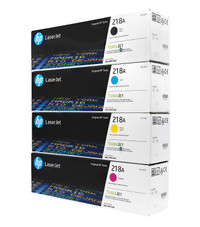
HP 218A set
Four original HP cartridges. Choose this set when you want standard capacity in every color.
View 218A set →
HP 218X set
Four original HP cartridges. Choose this set when you want high capacity in every color.
View 218X set →Replacing just one cartridge? Start with HP 218X black (W2180X), or choose standard-yield cyan (W2181A), yellow (W2182A), magenta (W2183A).
Can I mix HP 206A and 206X?
For an M283fdw configured for HP 206 supplies, 206X black can work alongside 206A colors. The same principle applies when only one color needs more capacity.
Printer example: HP Color LaserJet MFP M283fdw.
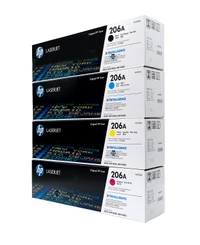
HP 206A set
Four original HP cartridges. Choose this set when you want standard capacity in every color.
View 206A set →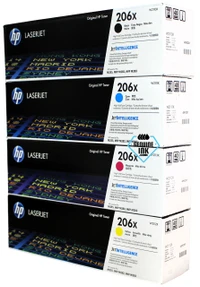
HP 206X set
Four original HP cartridges. Choose this set when you want high capacity in every color.
View 206X set →Can I mix HP 410A and 410X?
You can use 410A and 410X together in supported M477 and M452 printers. Keep the CF410, CF411, CF412 and CF413 color assignments straight; 414 toner is a different family.
Printer examples: HP Color LaserJet MFP M477fdw · HP Color LaserJet M452dw.
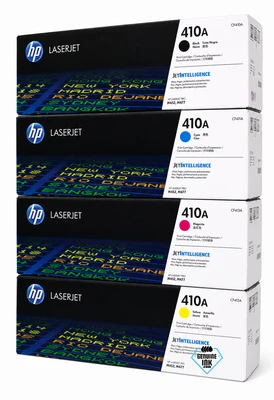
HP 410A set
Four original HP cartridges. Choose this set when you want standard capacity in every color.
View 410A set →
HP 410X set
Four original HP cartridges. Choose this set when you want high capacity in every color.
View 410X set →Replacing just one cartridge? Start with HP 410X black (CF410X), or choose standard-yield cyan (CF411A), yellow (CF412A), magenta (CF413A).
Can I mix HP 508A and 508X?
Use 508X black with 508A colors for more black pages between changes. Genuine Ink also offers this exact combination as a four-cartridge set.
Printer examples: HP Color LaserJet Enterprise M553dn · HP Color LaserJet Enterprise MFP M577dn.

HP 508A set
Four original HP cartridges. Choose this set when you want standard capacity in every color.
View 508A set →
HP 508X set
Four original HP cartridges. Choose this set when you want high capacity in every color.
View 508X set →
HP 508X black + 508A colors
One high-yield black cartridge with three standard-yield color cartridges.
View combination set →Replacing just one cartridge? Start with HP 508X black (CF360X), or choose standard-yield cyan (CF361A), yellow (CF362A), magenta (CF363A).
Can I mix HP 213A and 213X and 213Y?
This family adds a third capacity. On a 5700dn that accepts HP 213 supplies, you can choose A, X or Y independently for each color. All four cartridges do not have to move up to Y together.
Printer example: HP Color LaserJet Enterprise 5700dn.

HP 213A set
Four original HP cartridges. Choose this set when you want standard capacity in every color.
View 213A set →
HP 213X set
Four original HP cartridges. Choose this set when you want high capacity in every color.
View 213X set →
HP 213Y set
Four original HP cartridges. Choose this set when you want extra-high capacity in every color.
View 213Y set →Three capacities in one 5700dn
One supported arrangement is 213Y black (W2130Y), 213X cyan (W2131X), 213A yellow (W2132A) and 213A magenta (W2133A). This lets you put more capacity where you need it. It is an example, not a requirement to buy those four cartridges together.
Upfront Cost versus Long-Term Value
- Standard yield: Often a lower initial purchase price. A practical choice for colors you use less often, while keeping your immediate spend down.
- High yield: Pay more upfront for more rated pages and fewer cartridge changes. For frequent printing, a lower estimated toner cost per page can offer better long-term value. Compare current prices before choosing.
- Extra-high yield: Where your printer supports it, Y provides another capacity option for heavy use. Compare its current cost per rated page against X before paying for the larger cartridge.
Your black and color usage do not have to match
If you mostly print invoices with occasional color headings, high-yield black with standard colors may be a sensible balance. If you regularly print presentations, high-yield colors may be worth the extra initial cost too.
Estimated toner cost per page = cartridge price ÷ rated page yield. Compare the same color and packaging condition. Prices change, and rated yields are not guaranteed output. Do not add all four color yields to calculate the number of full-color pages in a set.
Use our cost-per-page calculator →Do I need to replace all four toner cartridges at once?
No. A set is a purchasing option, not a requirement to install all four cartridges together. If only black needs replacing, fit the supported black cartridge and keep your usable color cartridges. You can move to a larger capacity one color at a time.
Mixed yields alone do not mean the printer can run with a missing or depleted color cartridge. Follow the replacement prompts and operating instructions for your model. If a new cartridge is not recognized, check the full part number, color, region and installation instructions before assuming the different yield is the problem.
FAQ: mixing HP toner yields
Can I combine different toner sizes in the same HP printer?
Yes. If by “toner sizes” you mean standard-, high- or extra-high-yield cartridges, you can combine different yields when each cartridge is approved for your exact printer and region. For example, use high-yield black with standard-yield cyan, magenta and yellow.
Do I need to change printer settings to mix toner yields?
No special mixed-yield setting or hardware modification is needed for supported original HP cartridges in the printers covered here. Install each cartridge using the normal replacement procedure and follow any routine printer prompts. Always check the exact cartridge family, color and region first.
Can I mix standard-yield and high-yield toner in the same HP printer?
Yes, when the printer supports both cartridges in the correct family and region. Each color can use its own supported yield. For example, an HP M479fdw configured for 414 supplies can use 414X black with 414A cyan, yellow and magenta.
Can I use HP 213A, 213X and 213Y at the same time?
Yes, in a printer that supports all three, such as an HP Color LaserJet Enterprise 5700dn configured for 213 supplies. Choose the correct cartridge for each color slot. A, X and Y describe capacity; they do not need to match across all four colors.
Do all four toner cartridges have to be high yield?
No. You can use high-yield black and standard-yield colors, or choose a larger capacity for an individual color you use frequently. Check that your exact printer supports each selected cartridge.
Can I replace only the black toner and keep my color cartridges?
Yes. Replace the black cartridge with a supported black replacement and keep usable color cartridges installed. You do not need to replace all four simply to change the yield of one. Follow the printer’s prompts if another supply also needs replacement.
Will high-yield black make standard-yield colors last longer?
No. A larger black cartridge adds black toner capacity. It does not increase the amount of cyan, yellow or magenta in the other cartridges. Each color’s usage depends on the documents and printer settings.
Does mixing yields mean mixing toner powder?
No. It means installing separate, complete cartridges with different rated capacities in their correct color slots. This guide does not recommend opening cartridges or combining toner powder.
Can I put HP 414X into a printer that uses HP 210A?
No. 414 and 210 identify different cartridge families. A shared yield letter does not establish compatibility. Match the full cartridge number, printer model, region and color.
Is a mixed-yield set always cheaper?
No. Compare current prices and the capacity you will actually use. High-yield black with standard colors can balance upfront cost and replacement frequency, but an all-high-yield set or individual cartridges may be better value for your printing habits.
Choose the right family. Then choose your mix.
At Genuine Ink, we sell original brand-name ink, toner and printer supplies. Use the linked sets and individual cartridges above to choose the capacities that suit your printing. If you are unsure, share your full printer model and cartridge number with our team.
Browse genuine HP toner · Get help choosing your tonerGenuine Ink is an independent reseller and is not affiliated with HP.